 Materials Prep
A metallography ELN for the recipes, micrographs, and batches your lab actually runs.
Materials Prep, from PACE Technologies, is a digital lab notebook for sample preparation. It captures every prep, makes what worked last time searchable, and keeps a lab's knowledge intact when staff turn over.
Materials Prep is a paid PACE Technologies product. Metallography.org is PACE's free educational resource, run with editorial separation. This page covers the product because it addresses a problem the rest of this site only covers in writing: keeping a lab's prep knowledge intact across batches, operators, and time.
The recipes that actually work usually live in someone's head.
Most prep labs run on tribal knowledge. The recipe that gets a clean edge on case-hardened steel is on a clipboard above one machine. The note that says "do not skip the H₂O₂ step on titanium" is in a senior tech's head. The micrograph that showed last quarter's casting porosity lives on a desktop in a folder no one else opens.
When the senior tech retires, half of that knowledge leaves with them. When a new hire asks "how did we prep this last time," the answer is usually a guess. Materials Prep is built for labs that want the answer to be a record.
What Materials Prep is
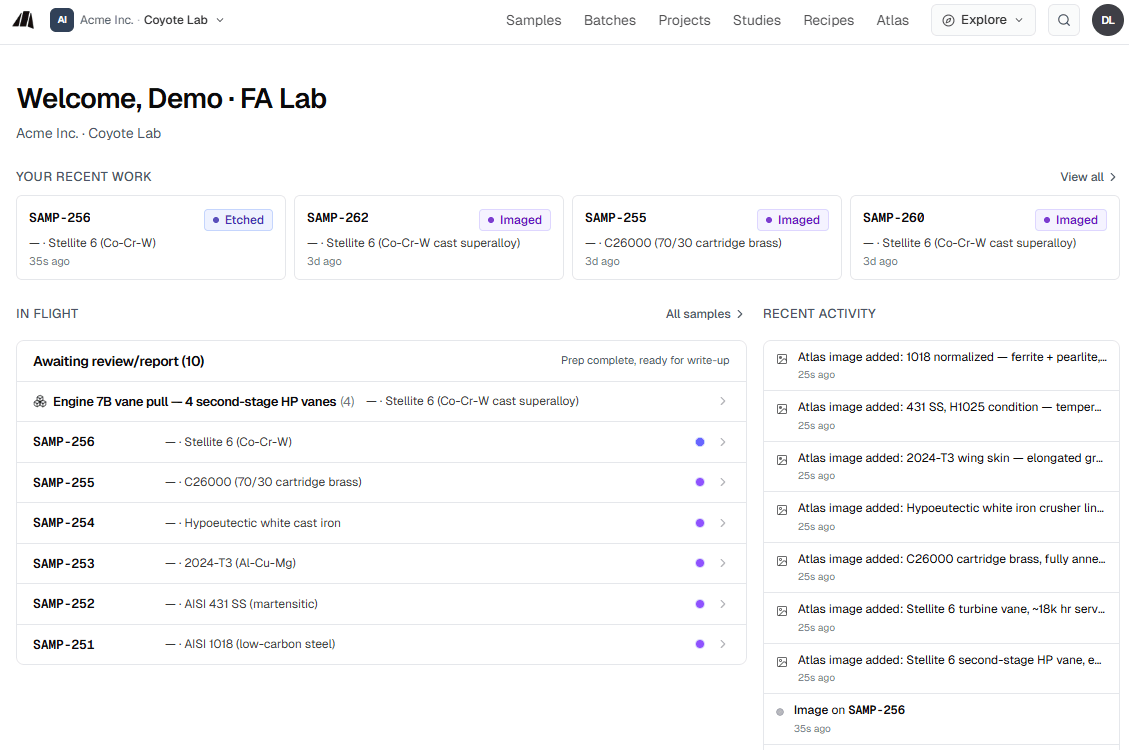
Materials Prep is a metallography ELN: an electronic lab notebook purpose-built for metallographic sample preparation. It captures the prep itself, not just the outcome. Every batch is a structured record of who prepped what, on which equipment, with which consumables, in how many steps, and what the result looked like.
Four pieces sit together inside it: an AI prep assistant called M.AI, batch and sample records, a recipe library, and an annotated micrograph Atlas. Each is useful on its own. The combination is what makes the lab's knowledge searchable, repeatable, and survivable across staff turnover.
A prep assistant that reads your lab's own history.
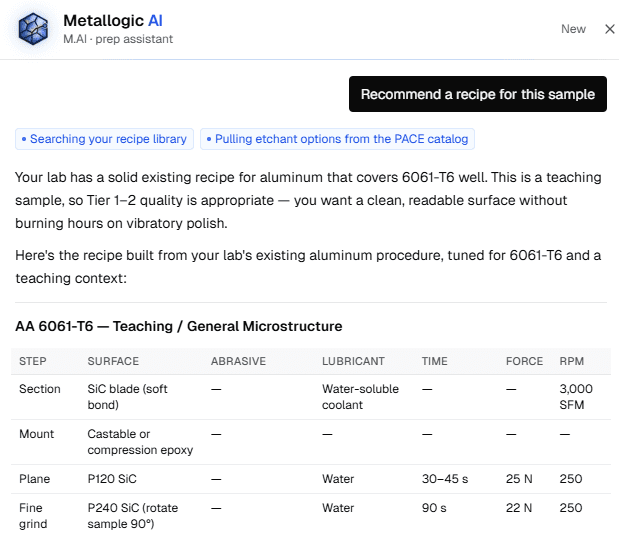
M.AI is trained on metallography prep. It suggests recipes, troubleshoots artifacts, and answers prep questions in the context of the sample being worked on. It refers to itself as Mai.
Ask Mai why a 6061 sample is showing comet tails and she will explain the mechanism, propose a fix, and cite the last three batches in the lab where the same sample type came out clean. Ask which etchant to use on a 17-4 PH and she will point to the lab's own working recipe before reaching for the textbook answer.
Mai is grounded in the lab's data. She does not replace the metallographer. She makes the metallographer's prior work searchable in the moment they need it.
Every prep, recorded the way the lab actually works.
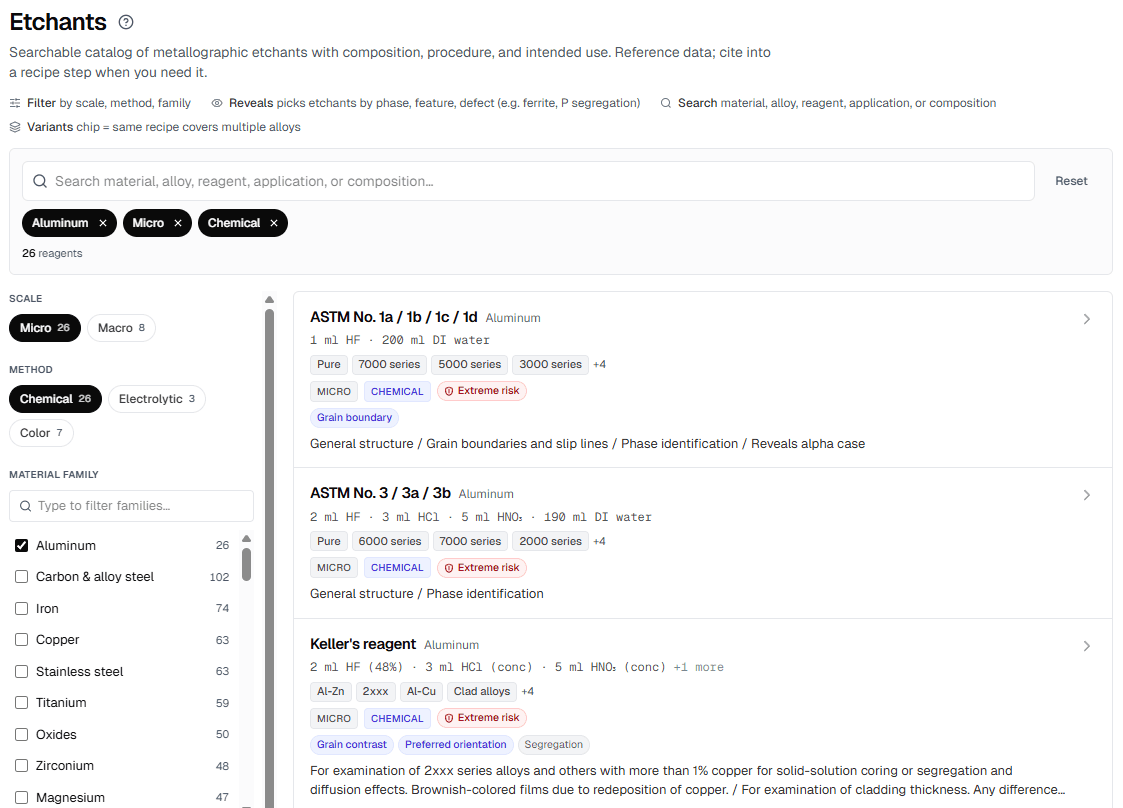
A batch is a structured record of one prep run: the samples in it, the operator, the equipment used, the consumables consumed, the recipe followed, and the resulting micrograph. Each sample inside the batch carries its own metadata, images, and notes.
The point is not paperwork. It is search. Six months later, when a similar casting comes through the door, the lab can find the last three batches that prepped it, see what worked, and repeat the recipe instead of re-discovering it.
Filter by material, by operator, by equipment, by etchant, by date. Attach micrographs and SEM images. Mark a batch as a reference for future work.
Your lab's recipe book, plus a cross-org library when you want one.
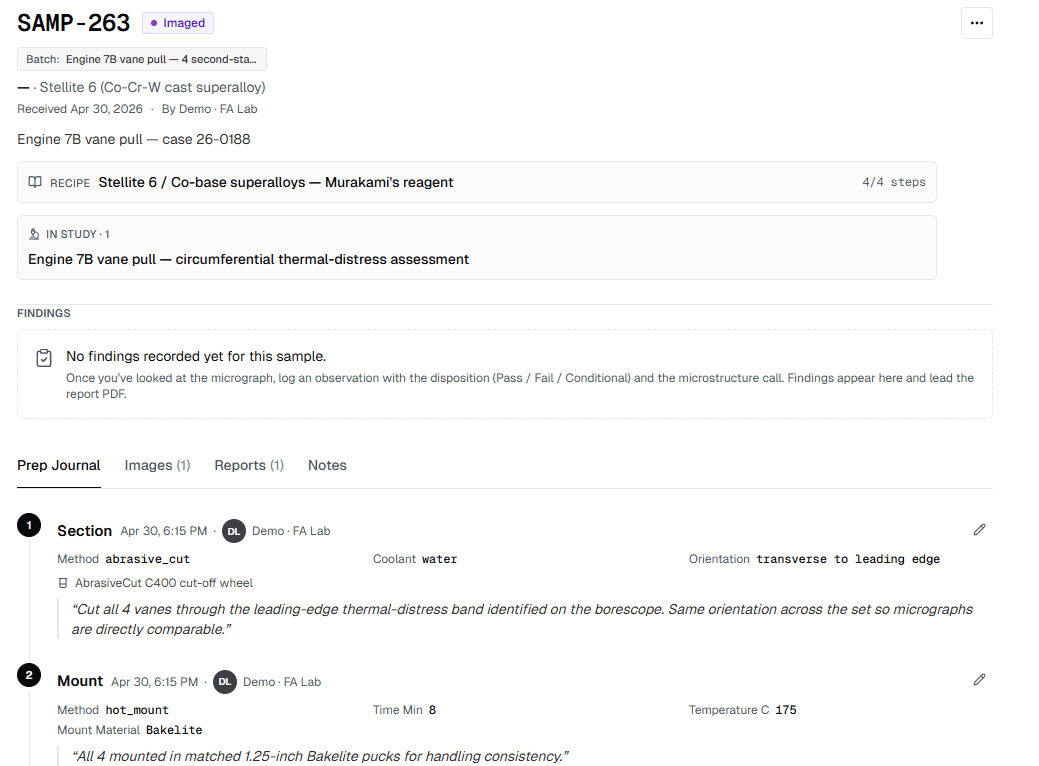
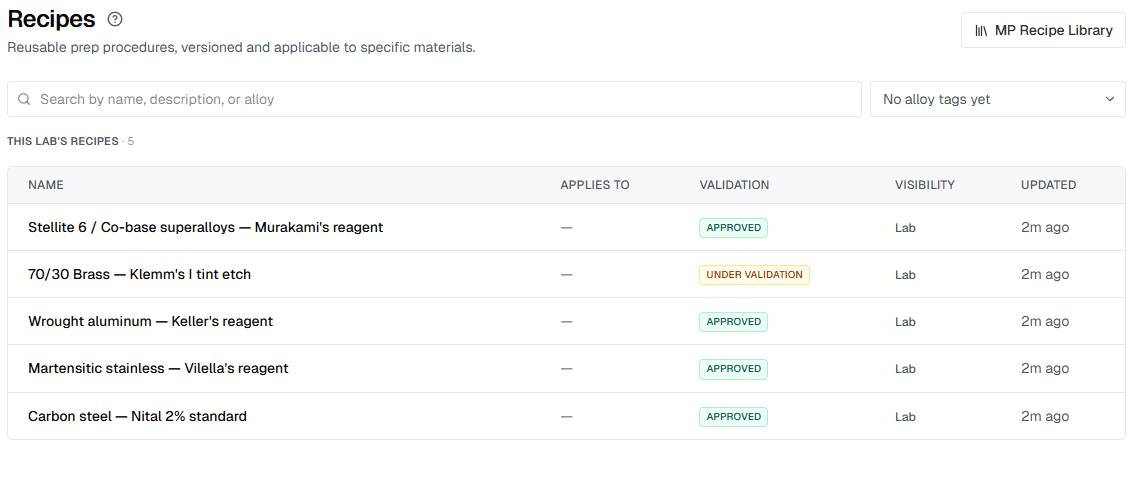
Every lab has a recipe book, even if today it lives in a binder, a OneNote, or one person's memory. Materials Prep gives the recipe book a structured home: each recipe lists its grit ladder, polishing pads, suspensions, etchant, times, and pressures, and links to the batches where it has been used.
Recipes are private to each lab by default. If a lab chooses to publish one, it goes to the MP Library, a cross-org surface where labs can share recipes that work. Search by material, etchant, or technique. Adopt one as-is, or fork it into the lab's own recipe book and tune it for the equipment on hand.
Nothing leaves a lab unless the lab publishes it.
Annotated micrographs that carry their prep history.
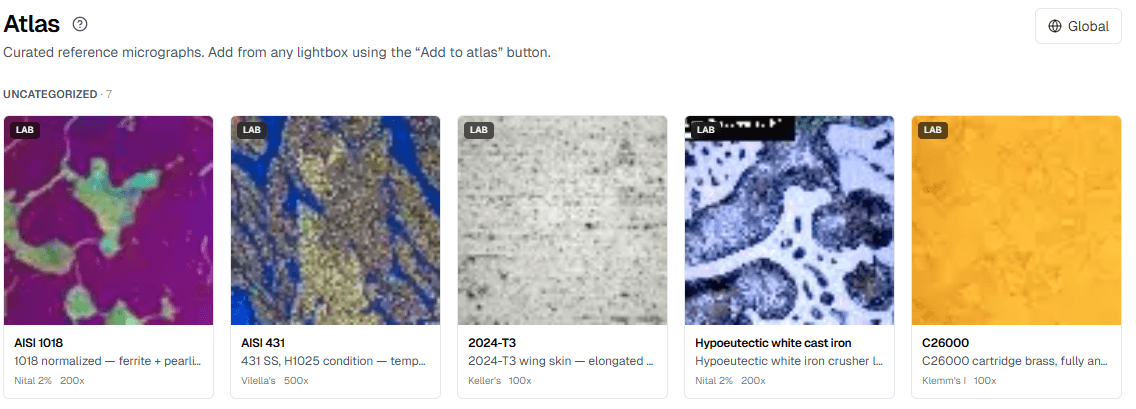
Atlas is a micrograph library. Each entry is an image plus the prep that produced it: the recipe, the etchant, the magnification, the equipment, and the operator notes. Annotate features directly on the image. Build the lab's own reference set of "this is what good looks like" and "this is what we reject."
Lab-private by default. Individual entries can be opted in to a global Atlas, where the prep details travel with the image. Other labs can see not just what a structure looks like, but how it was actually revealed.
Most micrograph collections show the result without the recipe. Atlas keeps the two together.
Who it's for
If anyone in the lab currently writes prep details on a clipboard or in a OneNote no one else opens, this is the kind of tool it's built for.
Prep technicians
Stop re-deriving recipes that already exist in the lab. Find what worked last time and repeat it.
Metallographers
Build a searchable Atlas of the lab's own micrographs with the prep that produced each one. Cite past batches in reports.
Lab managers
See throughput, consumables use, and recipe consistency across operators. Hand a new hire a working recipe book on day one.
Failure analysis engineers
Trace every micrograph in a report back to the exact prep run, equipment, and operator. Defensible records for QA and customer reviews.
It sits next to the equipment a lab already runs.
Materials Prep is software, not a press, a polisher, or a consumable. It runs in a browser. The lab's sectioning saw, mounting press, grinder/polisher, and microscope stay exactly where they are. The ELN records what they did.
Labs bring their own consumables, etchants, and SOPs. The product is built to capture how a lab works, not to dictate it.
Common questions
See Materials Prep
Pricing, onboarding, and the full product walkthrough live on the product site.